Let AI Set Your Bug Severity: Connecting Jev to Jira Automation
Every time a bug is created, someone has to read it. Is it complete? What's its severity? Which part of the system does it belong to?
What if AI could make some of those calls automatically?
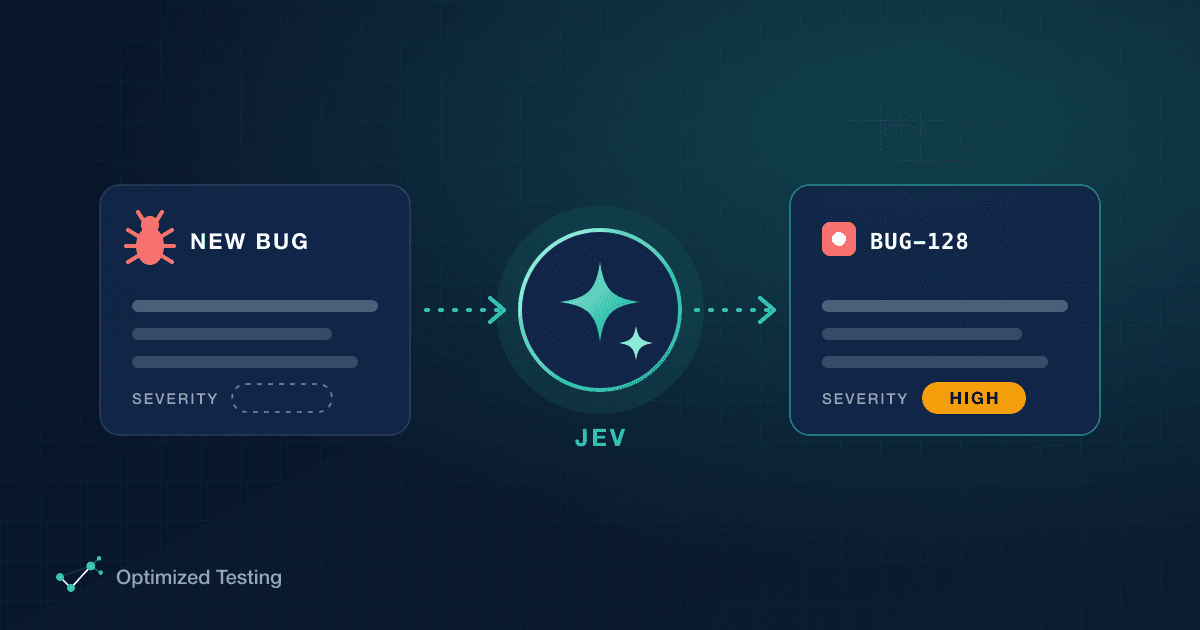
That's what we'll build in this post. I'll show you Jev, an AI model that evaluates content and returns a structured response other systems can easily read. Then we'll plug it into Jira Automation, so every new bug gets its severity set without anyone touching it.
Start with a shared definition of severity
My example bug lives in Jira. It has a summary, an ID and a description with the environment, steps to reproduce, expected result and actual result. There are also two fields someone still has to fill in: Severity and Module.
For severity to mean anything, everyone in the company needs the same definition. I used the levels from BrowserStack's article How to Write a Bug Report:
Low → Minor → Major → Critical, each with a clear definition of when to use it. For example, Critical is a bug that "can cause a complete system shutdown or a major breakdown".
Once people know the definitions, they can classify any bug. The question is: can AI apply the same definitions for us? It can.
Meet Jev
Jev is a model created by TypeSafe. You can try it in the Jev Playground at console.typesafe.ai, which has two parts:
- State: the information you want Jev to evaluate. You can write it as plain text or as JSON. I pasted my whole bug report here.
- Questions: what you want Jev to answer about that state.
Here's the bug report I used as the state:
Summary:
Checkout fails when paying with a saved card

Environment:
Staging, Chrome 128, Windows 11

Steps to reproduce:
1. Log in as a customer with a saved Visa card
2. Add any product to the cart
3. Go to checkout and select the saved card
4. Click "Pay now"

Expected result:
Order is confirmed and the confirmation page is shown

Actual result:
Spinner runs for 30 seconds, then "Something went wrong". No order is created.
Each question uses one of three primitive types:
- Noul: a yes/no question, answered with the probability that the statement is true.
- Score: a level of something.
- Choice: Jev picks from a specific list of options, each with its own definition.
A tip: Jev's documentation shows a bug severity example that uses Score. But severity is ambiguous. Each team measures it its own way and names its levels its own way. When you need that kind of team-specific definition, I prefer Choice.
Building the severity question
In the playground, I added a Choice question and set it up like this:
- ID:
severity - Instructions: "What is the severity of this bug report?"
- Criteria: four options, Low, Minor, Major and Critical, each with its description copied from the BrowserStack article.
Here's the full question setup as JSON. This is the part worth saving and versioning:
{
  "severity": {
    "type": "choice",
    "instructions": "What is the severity of this bug report?",
    "criteria": {
      "Low": "The bug has minimal impact and does not noticeably affect system performance.",
      "Minor": "Causes some unexpected behavior but does not disrupt overall system functionality.",
      "Major": "Affects significant parts of the system, leading to substantial issues.",
      "Critical": "Can cause a complete system shutdown or major breakdown."
    }
  }
}
Then I clicked Run request. On the right, Jev listed my options with a confidence percentage for each. For this bug report, the top pick was Major.
Next, I tested whether it would react to a real change. The actual result said:
Spinner runs for 30 seconds, then "Something went wrong". No order is created.
I added "and the server goes down" to the end and ran it again. Now Jev said Critical, with 100% confidence. That matches the BrowserStack definition of a complete system shutdown.
That's how Jev works: it takes your question and criteria, compares them against the state and gives you back a response.
Not a chat: a classifier
This is very different from the general-purpose AI tools you probably use, like ChatGPT or Claude. There's no conversation. You add the state, add the questions, send the request and get just the response back.
It's fast: the playground showed about 70 ms plus 165 ms to send, process and respond. It also uses very few output tokens. Because Jev does only this one job, it's quick and less expensive.
But let's be honest. Nobody is going to paste every bug into a playground and click Run. What we built here is the question setup, and that's the valuable part. It's how you and your team define severity. Save it, store it and version it.
To get real value from Jev, you make it a step in an automated process. So let's connect it to Jira.
Connecting Jev to Jira Automation
Here's the goal: every time someone creates a bug in Jira, Jira calls Jev with the bug's summary and description, applies our severity question and fills in the Severity field automatically.
flowchart LR
    A["Trigger: Work item created"] --> B{"Condition: Issue type equals Bug"}
    B --> C["Action: Send web request to the TypeSafe API<br/>POST: model + state (summary, description) + questions<br/>wait for the response"]
    C --> D["Action: Edit work item<br/>Severity = Jev's choice"]
In my Jira project, I opened the … menu, went to Space settings → Automation and created a new flow from scratch.
1. Trigger. I picked Work item created, under Jira.
2. Condition. I added a work item field condition: Issue type equals Bug. Now the rule only runs for bugs.
3. Send the web request. I added the Send web request action. To fill it in, I opened TypeSafe's Documentation → API reference, which shows the URL to POST to and an example request with the state, the model and the questions. I pasted the URL, chose POST and set the body to custom data, starting from that example.
Instead of plain text, I sent the state as JSON with two Jira smart values, the bug's summary and description:
"state": {
  "summary": {{issue.summary.asJsonString}},
  "description": {{issue.description.asJsonString}}
}
For questions, I pasted the same severity question I'd built in the playground. I also turned on Delay execution so the rule waits for Jev's response. Then I added two headers:
Content-Type: application/jsonAuthorization: Bearer <your API key>
To get a key, go to Keys in the TypeSafe console, create one, give it a name and copy it.
4. Edit the work item. Last, I added Edit work item, picked the Severity field and set its value from the web request's response. In Jev's response, the answer lives under answers, then the question ID, then choice:
{{webhookResponse.body.answers.severity.choice}}
Gotchas
- Option names must match Jira exactly. I first wrote the options in lowercase, but Jira's severity values start with a capital letter: Low, Minor, Major, Critical. Jev returns the option name as you wrote it, so the two must be identical.
- You'll see an alert when you save. Jira tries to parse the JSON body, which uses Jira's own format to reference fields. It doesn't harm the flow.
- Give the rule a clear name, so your team knows what it does. Mine is "Jev bug report for severity".
Testing it for real
With the rule saved and turned on, I created a new bug in Jira using the same summary and description I'd used in the playground. When I opened it, the Severity field already said Major. Nobody filled it in. The automation called the TypeSafe API and brought the answer back.
Then I created one more bug with the exact same summary. This time I changed the end of the description to say "and the server goes down". The new bug came in as Critical.
What else could you do?
This is just one way to use Jev in your software testing lifecycle. The same pattern could fill in the module, check whether a report is complete, or anything else your team decides by reading text.
What use cases come to your mind? Leave a comment on the video. I'd love to hear them and talk with you there.
Want more? The video description links to Optimized Testing Learning. Take the quiz there, and if you get a good score, you can download extra material for this class.
See you in the next one!
Useful links
- Watch the class on YouTube
- TypeSafe console and Jev Playground
- TypeSafe docs: Quick Start
- TypeSafe docs: Primitives (Noul, Score, Choice)
- TypeSafe docs: Choice
- TypeSafe docs: API Reference
- BrowserStack: How to Write an Effective Bug Report, the source of the severity levels
- Atlassian: Jira smart values for issues, covering
issue.summary,issue.descriptionandwebhookResponse.body - Atlassian: Jira smart values JSON functions, covering
asJsonString - Optimized Testing Learning, for the quiz and bonus material
Want help putting this into practice?